
Client delivery
without the chaos.
Bring briefs, approvals, revisions, handoffs, and client updates into one visual flow your team and clients can actually follow.
One system. Full client journey.
From the first brief to the final handoff, without scattered emails, lost approvals, or messy handoffs.
Capture the brief
Clients submit briefs directly. No email chains, no lost attachments. Everything lands structured, in one place.
Move work visually
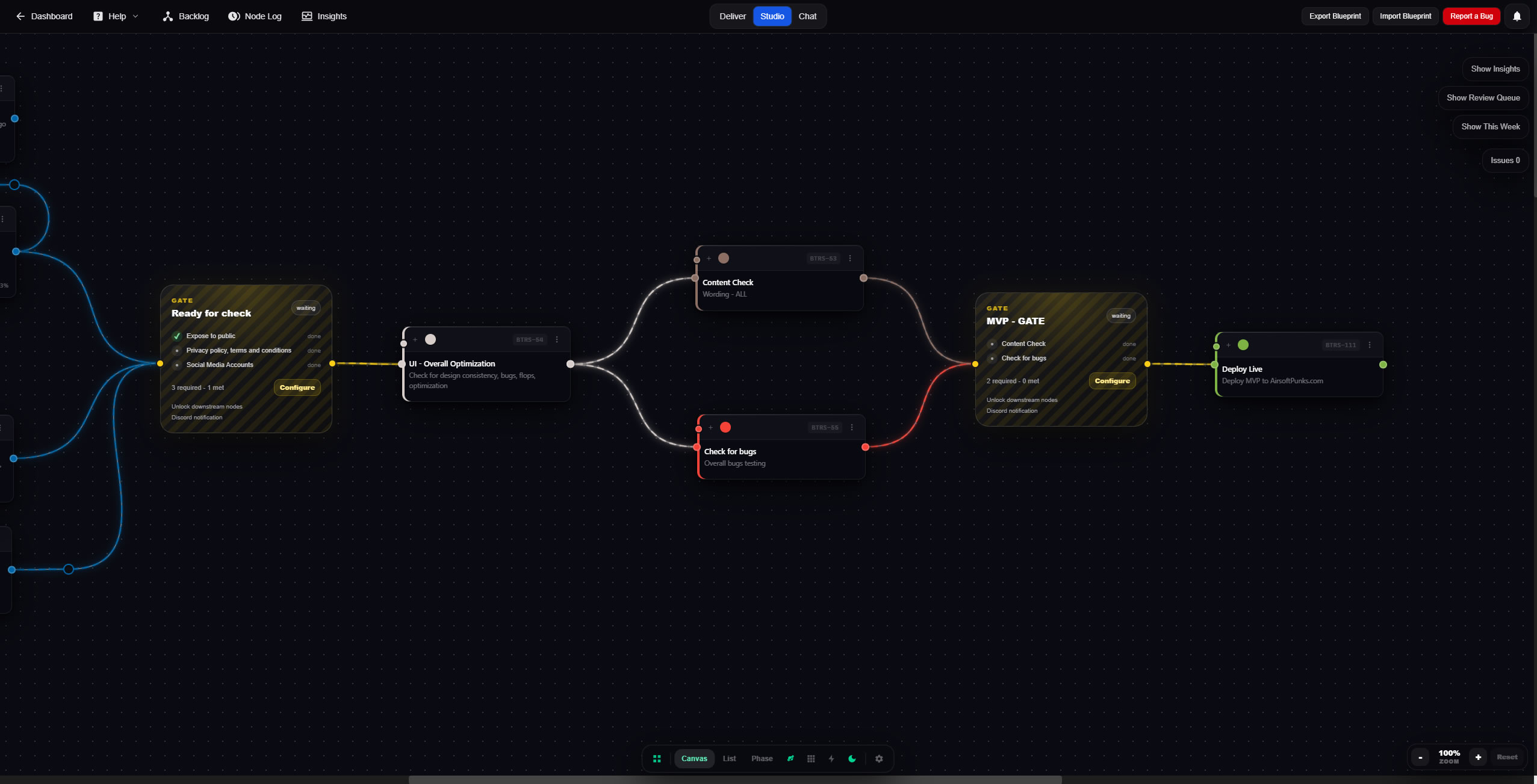
Map every production stage on a live canvas. Drag, connect, and see the full picture at a glance.
Centralize approvals
Every sign-off, revision request, and decision in one place. The pipeline doesn't advance until approved.
Deliver cleanly
Share a polished client portal. Clients see progress and access deliverables — your internal workflow stays private.
Using another tool?
Bring work over from Trello, Asana, Notion, Jira, Monday, or CSV and turn scattered tasks into a Plannex delivery flow.
Every step, in sequence.
One continuous flow from the first brief to a clean, delivered project.
"We used Plannex to run briefs, approvals, revisions, and client delivery in one place."
Brief → Review → Approve → Revise → Deliver
Publish polished delivery without rebuilding updates by hand.
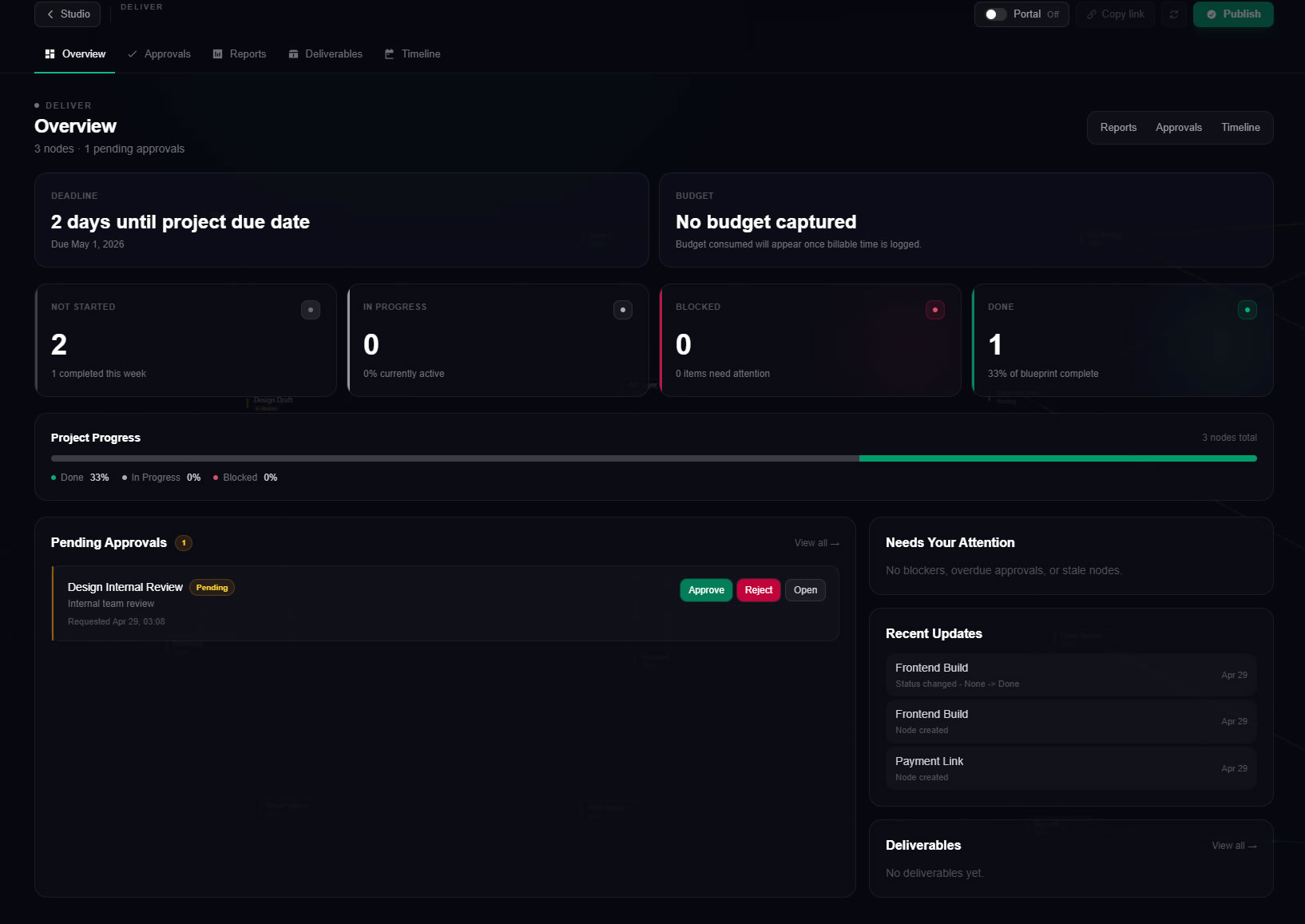
Create client-safe reports, manage approvals, publish the portal, and see precise delivery statistics without mixing this view up with deeper project insights.
Create reports
Generate clean status reports with client-safe sections, rendered previews, and PDF export.
Run approvals
Track pending, approved, rejected, overdue, version, and round context without leaking internal noise.
Publish the client portal
Share one professional portal for client actions, deliverables, reports, and what happens next.
Preview, copy, export, or send updates without markdown mess.
Pending, overdue, approved, and rejected work stays easy to scan.
Clients get a polished link, not your internal production canvas.
Status counts, due dates, budget, and attention items stay clear.
See the health of the work before it becomes a surprise.
Plannex turns the blueprint into decision signals: timeline health, budget burn, approval velocity, revision rate, time overruns, and client activity.
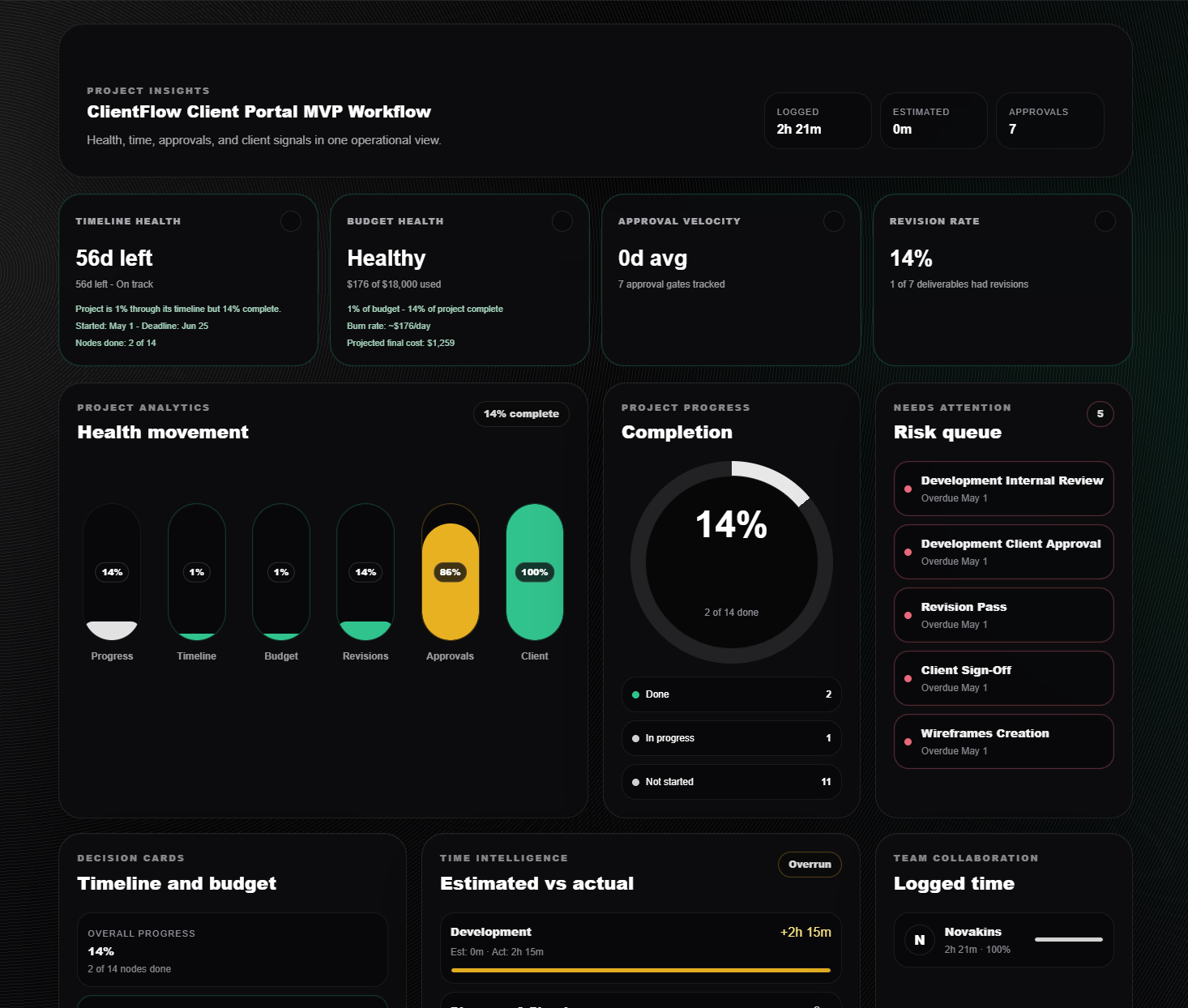
Health, time, approvals, and client signals in one decision screen.
Health movement
Progress, deadline pace, budget usage, revisions, approvals, and client signals stay visible together.
Time intelligence
Compare estimated vs actual time so overruns show up as patterns, not vague feelings.
Approval movement
Spot stuck approvals, revision-heavy deliverables, and delays that need a client conversation.
Built for client delivery --not task lists.
Asana, Monday, Jira, Trello -- great for engineering teams, weak for connected agency work. Here's how Plannex changes the math.
Every node carries the context to move work forward.
Open a task to manage time, comments, files, approvals, and issue follow-up. Drop in a gate to automate what happens next when the right conditions are met.
Time, files, comments, and status live where the work lives.
Track active timers, log manual entries, review comments, attach files, and keep every decision connected to the exact node it belongs to.
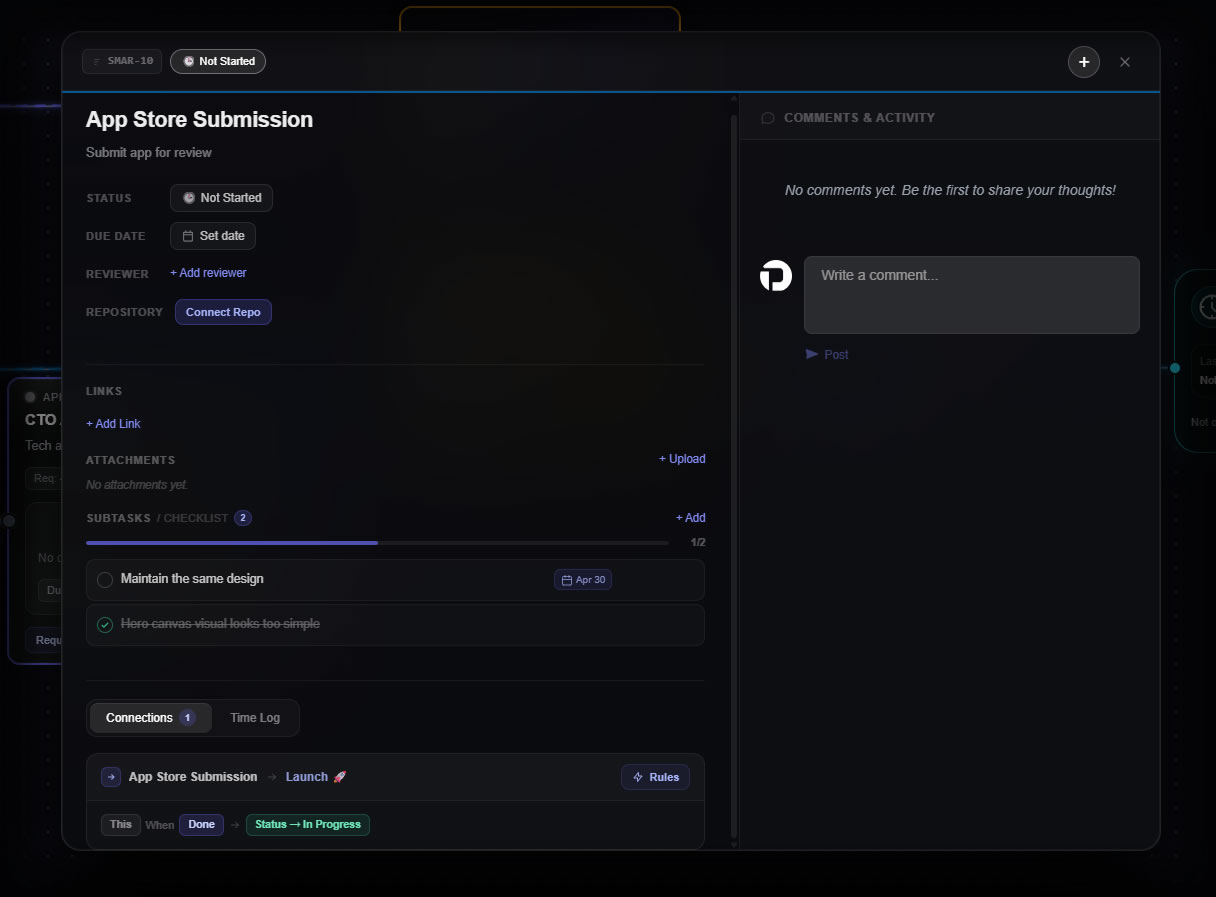
Checklist work stays inside the task, not in a separate tool.
Automate phase handoffs without adding project chaos.
Watch connected nodes, require all, any, or X of Y conditions, then trigger a pulse, approval, notification, webhook, or downstream unlock.
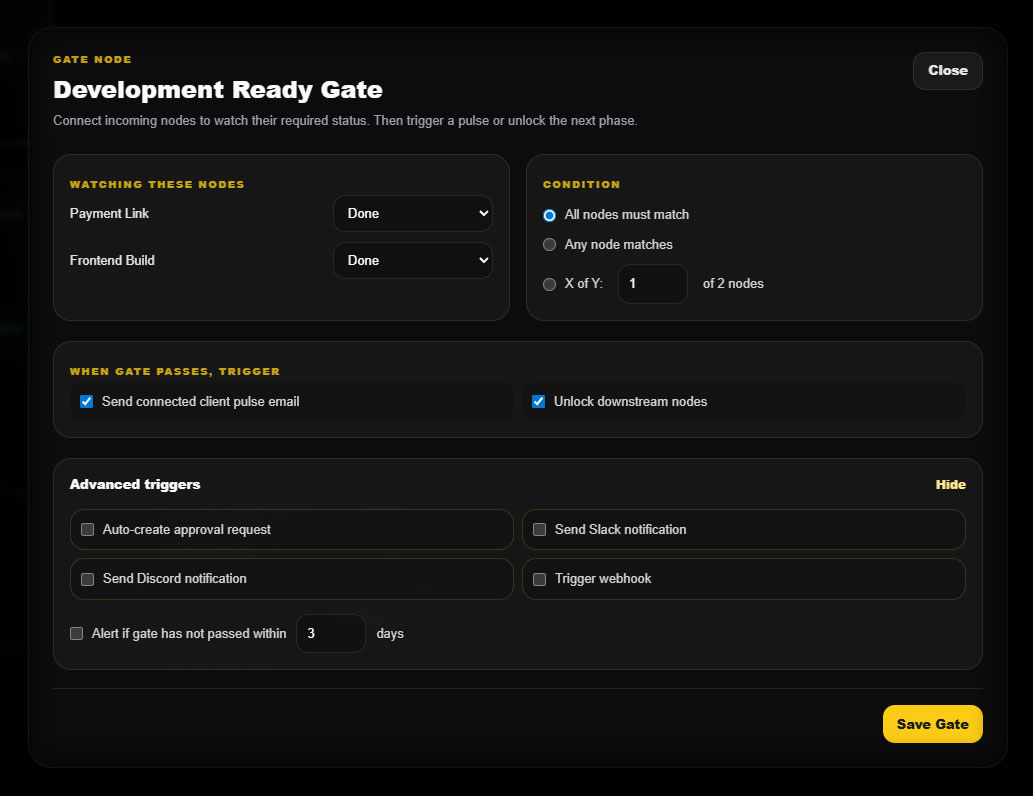
Gates keep flow honest.
Launch the next phase only when the required work is actually ready.
Tasks keep proof attached.
Every comment, file, issue, timer, and decision stays anchored to the node.
Issues do not rewrite history.
Pin problems on completed work, warn downstream nodes, and create fix tasks.
Your clients review and approve
without touching the mess.
Share a clean, branded portal link. Clients see exactly what they need, progress, approvals, and deliverables — while your internal workflow stays private.
One link. Full visibility.
Clients get a polished portal with live project status, approval requests, and final deliverables. They never see your Kanban columns, internal notes, or team chat.
- Live progress, always up to date
- Approval requests with built-in sign-off
- Deliverables, reports, and timeline
- Internal workspace never exposed
Good questions.
Client work, without
scattered approvals.
For agencies, freelancers, and service teams tired of managing client work across five different tools.
No credit card required · 7-day free trial · Cancel anytime