Client deliverywithout the chaos.
One canvas from brief to invoice. Bring briefs, approvals, revisions and handoffs into a single flow your team — and your clients — can actually follow.
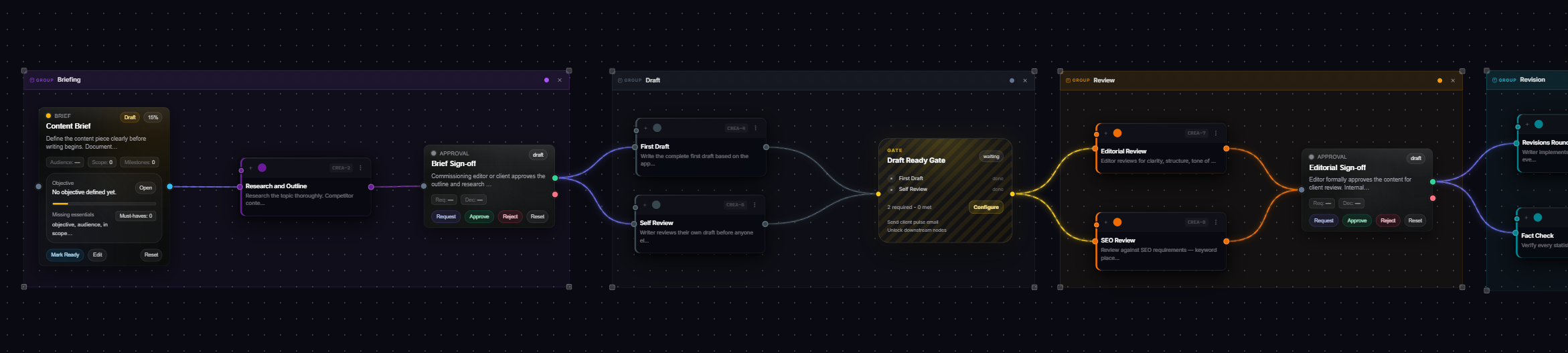
A single blueprint · Briefing → Draft → Gate → Review → Revision
A single canvas. Four very different operators.
Plannex is the same product underneath — but the templates, gates and automations change with who's running it.
One canvas from brief to invoice.
Stop gluing Asana, Slack threads, Loom links and Google Docs together. Plannex collapses the whole client engagement into one visual flow — with the receipts.
Every project, drawn as a flow.
Not buried in a list.
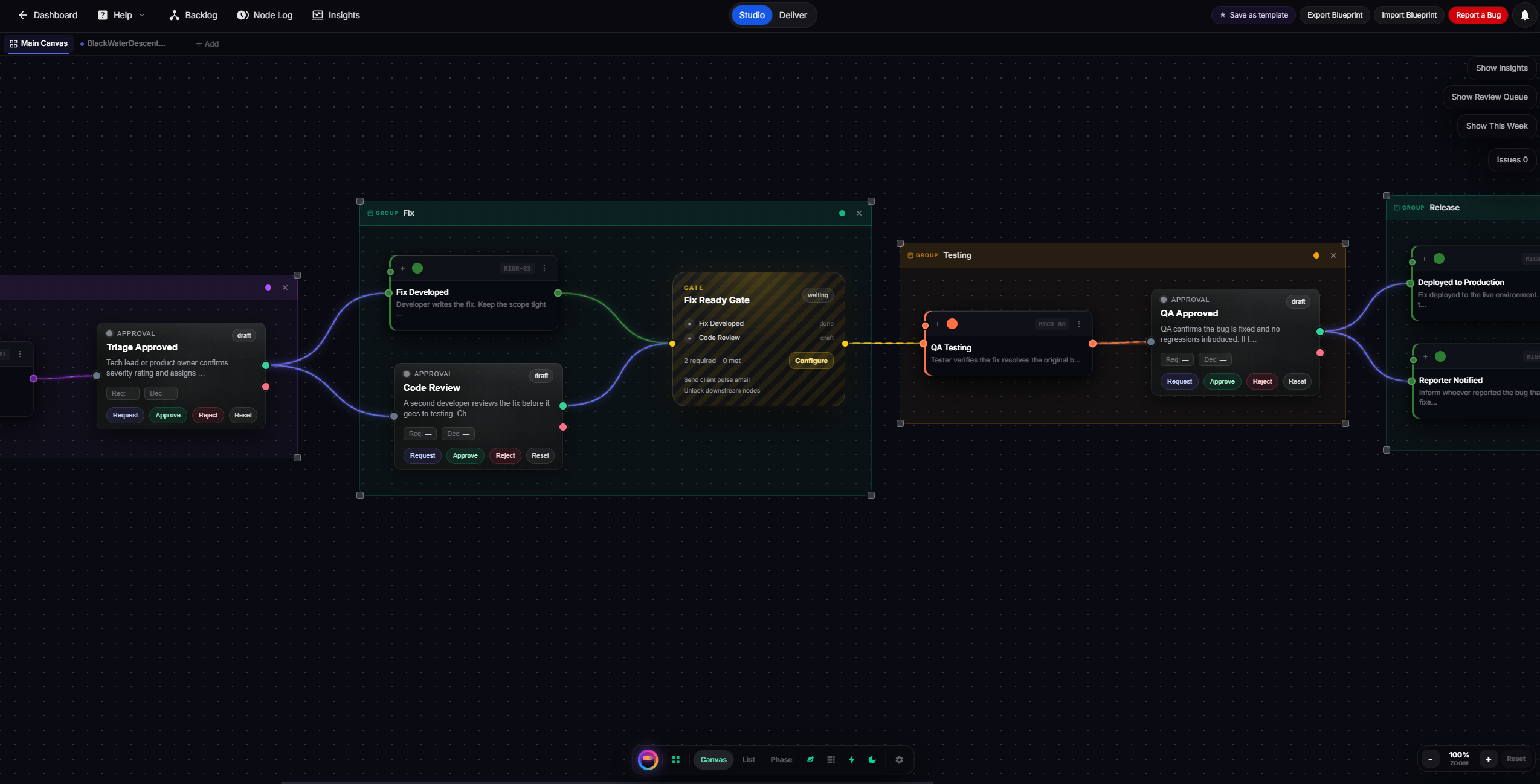
Drag nodes. Connect them. Add gates, approvals and automations between them. What you draw becomes the actual project — live, watched, and reportable.
See it before it
becomes a surprise.
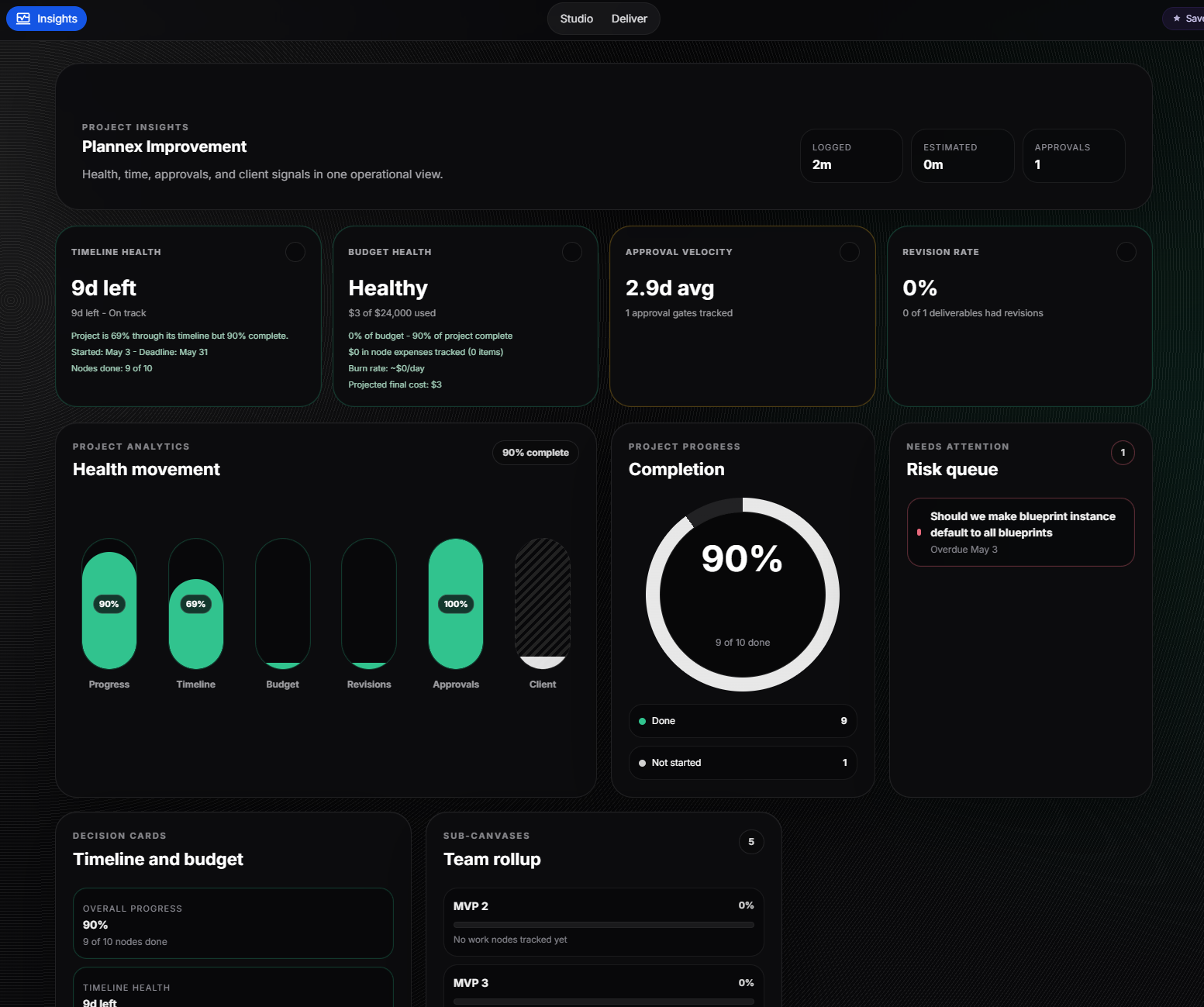
Timeline health. Budget burn. Approval velocity. Revision rate. Client signals. All read from the same canvas — no extra reporting work, no Notion docs to maintain.
Automations live inside the canvas.
Not in a settings page.
Drop a gate, an approval, a webhook, or a notification right between two nodes. They watch the work, they fire when conditions are met. Everything included — no add-ons, no surprises.
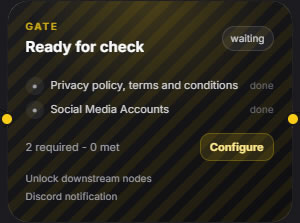
Require all, any, or X of Y connected nodes to complete before unlocking the next phase. No more accidental "shipped before approval".
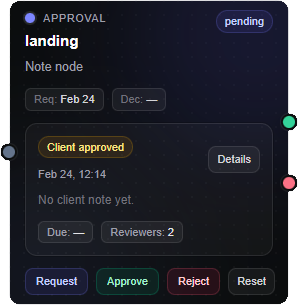
Internal or client-facing. Every signature timestamped, attached to the exact deliverable, and surfaced in the audit trail.
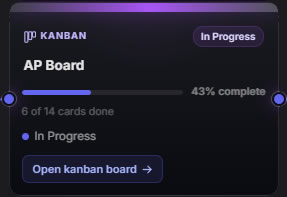
Drop an instance node into your flow that points at another kanban or blueprint instance. Progress on the child rolls up into the parent — follow it without leaving the canvas.
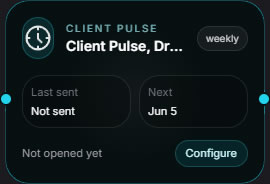
Weekly client pulses, internal stand-ups, overdue chasers — drafted from the canvas, sent on schedule, editable before send.
Your clients see progress.
Not your mess.
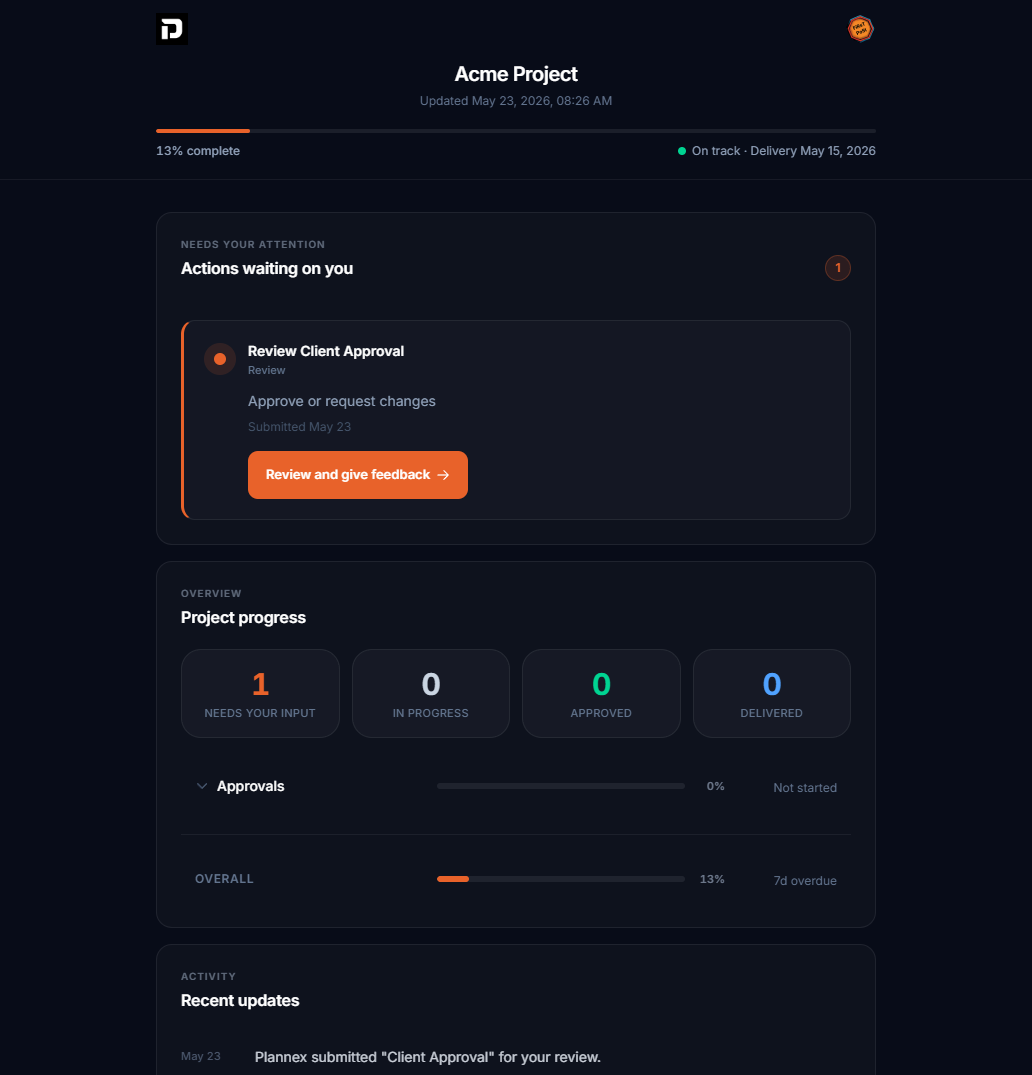
Share one branded portal link. Live status, approvals to sign, deliverables to download. Your internal canvas, owners, comments and gates stay private — always.
Built for client work.
Not retrofitted from a task list.
Asana, Monday, Jira, Trello — great for engineering tickets. Weak for connected delivery. Here's how the math changes.
The canvas, extended.
Purpose-built modules that plug into your workspace. Same design language, zero context-switching.
Leads, companies and contacts — all linkable to the canvas. Promote any card into a workflow node and keep your pipeline and delivery in the same system.
Create as many boards as you need. Convert canvas nodes into cards, and link any board to a delegation node to track its progress inside a parent workflow.
Spin up as many runs of a blueprint as you need. Move nodes between instances freely, and link any of them to a delegation node to roll progress up into a parent workflow.
Invoices, payments and budget tracking — all tied to your blueprint nodes. Connect Stripe, generate invoices from logged time, and watch budget health update live on the canvas.
Sketch your workflow directly in the Sketch extension, then convert it into a live blueprint on the canvas with one click. No re-typing, no import wizard — what you draw becomes what runs.
Time tracking, resource planning, custom reports and more. Extensions ship when they're ready — not when they're half-baked.
Good questions.
Quick answers to the things people ask before they sign up. Still on the fence? See pricing →
Stop running client work
in five different tools.
Start on the Nomad plan — free forever, up to 1 blueprint and 15 nodes. The whole product — canvas, kanban, automations, portal, insights — from day one. Upgrade only when you outgrow it.